
Evening schedules are dense
Similar class names, nearby start times, and several rooms make the week hard to scan.
Dance studio operations
Give ballet, contemporary, and hip-hop classes a clear place in the week. Keep teachers, rooms, student enrollment, and attendance on the same plan without comparing several versions of the timetable.
Dance week
Classes, rooms, instructors, and capacity
Where the admin spreads
Similar class names, nearby start times, and several rooms make the week hard to scan.
A student may attend one level on Monday and a different weekly session later in the week.
Separate lists make it harder to connect students with their classes, attendance, and payments.
One operational picture
Set recurring weekly schedules for ballet, contemporary, hip-hop, and more.
Use names and categories, then assign the relevant instructor, room, and capacity.
Enroll students into specific weekly classes and manage each dated roster.
Record attended or no-show status and maintain simple charge and payment records.
How it works in your studio
01
Name and categorize classes by style or level, then set their weekly times, teachers, rooms, and capacity. View the full week or filter the calendar by class, instructor, or location.
Explore the weekly class calendar02
A student can attend ballet on Monday and contemporary on Thursday. Keep those enrollments on their student record and use a separate roster for each class date.
Enroll students in weekly classes03
Invite teachers as team members and link their instructor records. They can manage bookings and mark attendance for assigned sessions while the owner manages recurring schedules and payments.
Add instructor records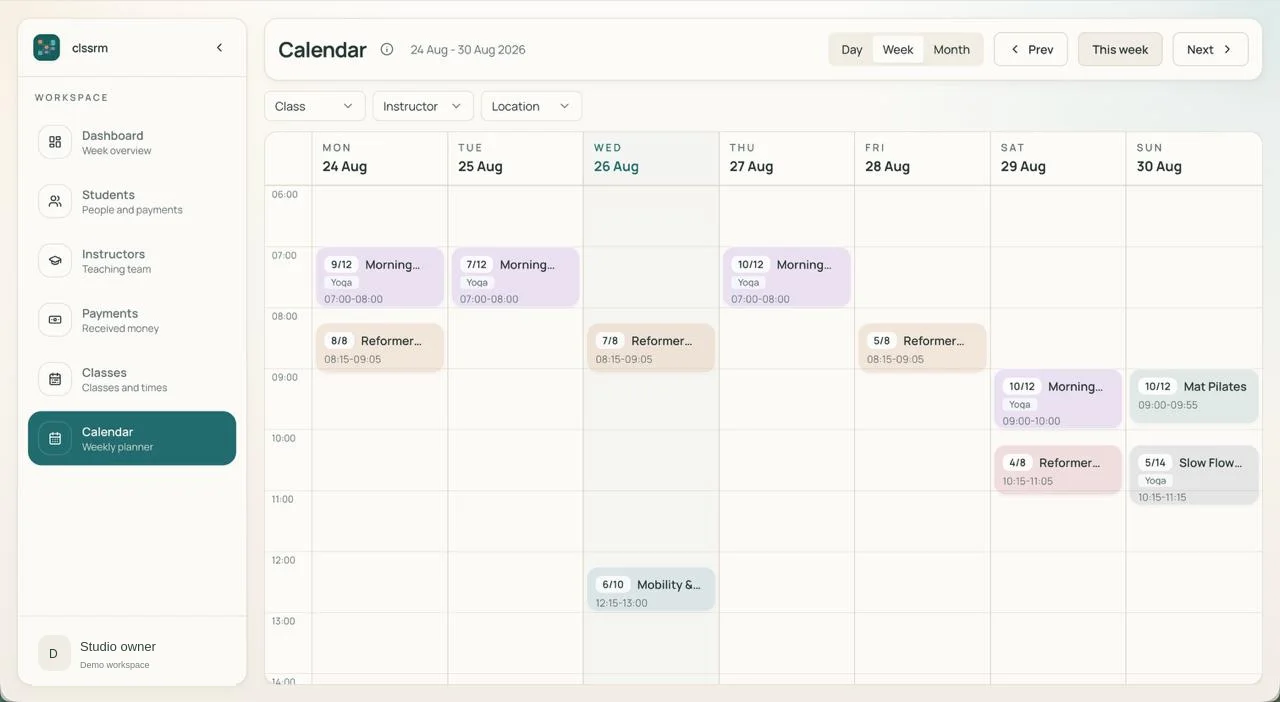
FAQ
Yes. Use class names and categories for styles or levels, then assign the instructor, room, schedule, and capacity.
Instructors can be invited as team members and linked to their instructor record. They can manage bookings and attendance for their assigned dated sessions, while recurring schedules and payments remain owner-managed.
No. It does not process payments or create invoices. You can maintain manual charge and payment records for money handled elsewhere.
No. Enrollment and class rosters are managed by your studio team. clssrm is for internal scheduling and student records, not a student or parent registration portal.
Start with a free one-month trial, with no credit card required. Starter is €30/month with one staff account; Pro is €100/month with four. Additional staff seats are €5/month each. Prices exclude applicable VAT, and there are no per-student fees.
Keep rooms, teachers, rosters, capacity, attendance, and payment records together.
Create your dance schedulePlans from €30/month, excluding applicable VAT. Compare plans and staff seats.