
Every room has a different limit
Wheel spaces, table seats, and room capacity are easy to miscount across separate lists.
Ceramics studio operations
Plan wheel-throwing and hand-building classes around your teachers, rooms, and available places. Keep student rosters, attendance, and payment records together instead of in separate spreadsheets.
Ceramics week
Classes, rooms, instructors, and capacity
Where the admin spreads
Wheel spaces, table seats, and room capacity are easy to miscount across separate lists.
The same roster gets copied forward, then corrected again when enrollment changes.
The class list rarely matches the notes used to track charges and received payments.
One operational picture
Create recurring times for wheel throwing, hand-building, glazing, and other classes.
Keep the teacher, studio room, duration, and capacity attached to each class.
Enroll regular students once and use a clear roster for each workshop session.
Mark attendance and store manual charge and payment records with the student.
How it works in your studio
01
Set a capacity for each class based on the wheels or table places available. Attach the teacher and studio room to the schedule so staff can see where each group meets.
Create your weekly ceramics classes02
Enroll regular students into their weekly class times, then handle one-off bookings and cancellations on the relevant date. Check available places before adding another student.
Manage workshop rosters03
Record charges and money collected outside clssrm, with the amount, date, payment method, and a note. View the student's payment history without finding another sheet.
See how payment records work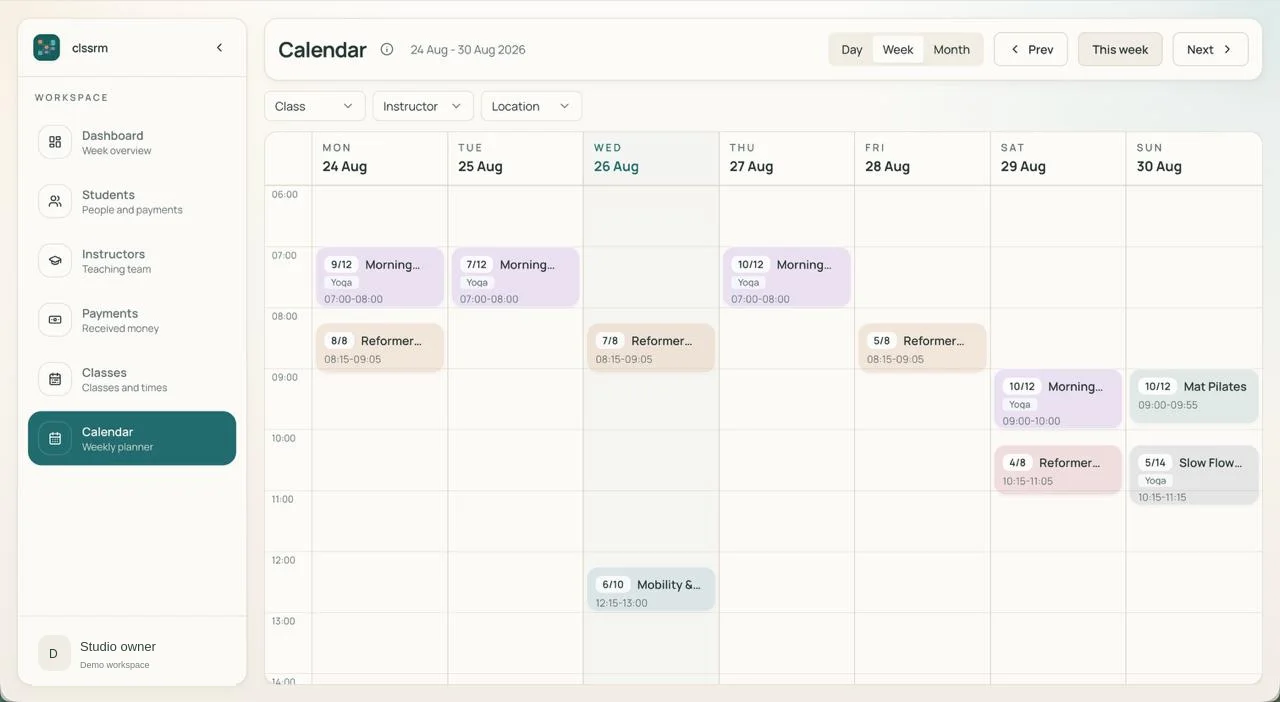
“I spent years getting lost in Excel, Google Sheets, and every custom solution you can think of. Having one dedicated tool to manage class availability and student payments has simplified my day-to-day work, so I can focus on other aspects of the studio.”
FAQ
No. It focuses on class schedules, students, rosters, capacity, attendance, and payment records rather than inventory or materials.
Yes. Create its recurring weekly schedule and enroll students into the appropriate time. Each date then has its own roster.
No. Studio owners manage enrollment and dated session rosters directly.
Start with a free one-month trial, with no credit card required. Starter is €30/month with one staff account; Pro is €100/month with four. Additional staff seats are €5/month each. Prices exclude applicable VAT, and there are no per-student fees.
Keep teachers, room capacity, rosters, attendance, and payment records together.
Create your ceramics schedulePlans from €30/month, excluding applicable VAT. Compare plans and staff seats.