
Capacity changes quickly
A reformer class can fill while the spreadsheet still shows yesterday's count.
Pilates studio operations
Keep Reformer and Mat classes, instructor assignments, and available places in one calendar. Manage client rosters, attendance, and payment records without switching between spreadsheets.
Pilates week
Classes, rooms, instructors, and capacity
Where the admin spreads
A reformer class can fill while the spreadsheet still shows yesterday's count.
Timetables, instructors, and room details end up in different calendars and messages.
Knowing who is expected does not always tell you who attended or what has been paid.
One operational picture
Set Reformer, Mat, and mobility classes once, then view them by day, week, or month.
Assign each class an instructor, room, category, duration, color, and capacity.
Enroll students into weekly times and manage the roster for every dated session.
Record attendance and log manual charges or payments beside the student.
How it works in your studio
01
Create your Reformer and Mat classes with their weekly times, instructors, and capacity. An eight-reformer class can have a different limit from a fourteen-person Mat class.
Set up recurring Pilates classes02
Enroll a client into the weekly times they attend. Their enrollment carries into each class date, so you do not rebuild the regular client list every Monday.
See how weekly enrollment works03
Open a class date to check available places, add a one-off booking, or cancel a booking for that day. Linked instructors can manage bookings and attendance for their assigned sessions.
Manage class rosters and capacity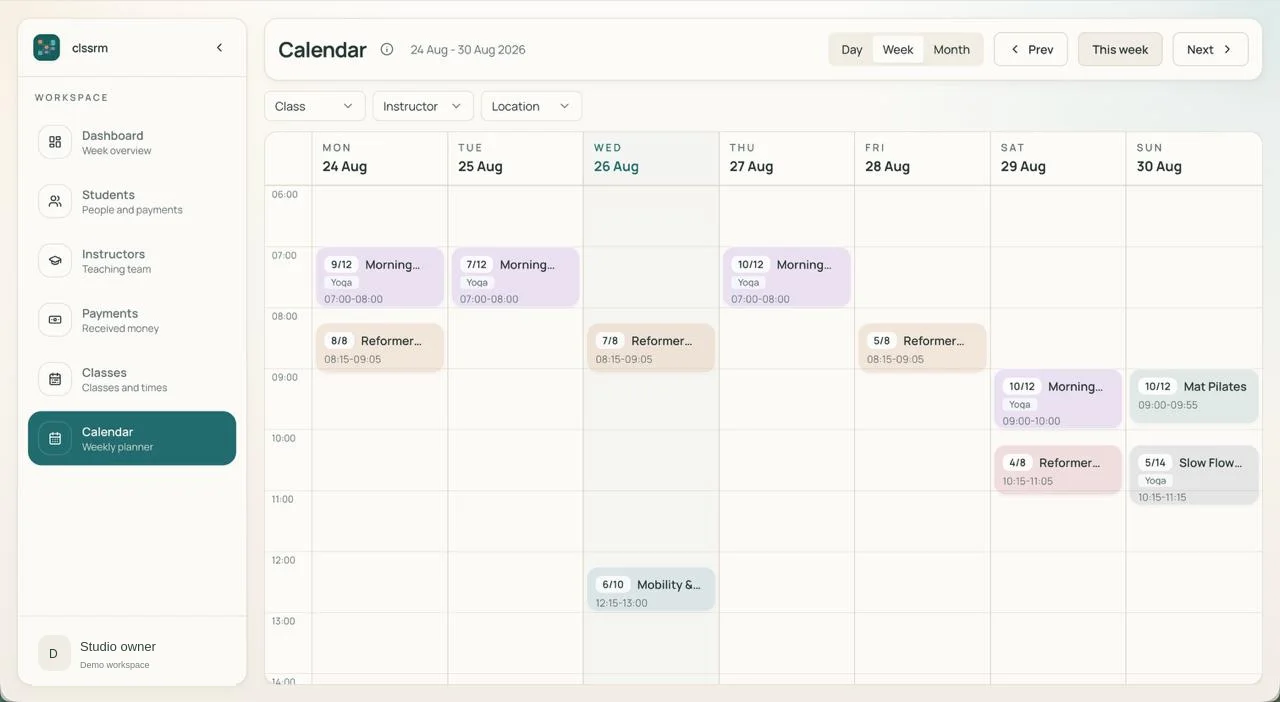
“clssrm changed how we run the studio. Before, a shared Google Calendar and countless Excel sheets made it hard to track class availability, pending payments, and cancellations. Now everything runs seamlessly, and our Pilates instructors can manage their own class availability.”
FAQ
Yes. Add your classes and weekly times, then add clients individually or import a student CSV. Your team can manage regular enrollment, bookings for individual dates, attendance, and payment records in the same workspace.
No. Enrollment and dated rosters are managed by the studio. clssrm is an internal operations tool, not a booking marketplace.
Yes. Set the class capacity and see the booked count and remaining places for each dated session. clssrm does not assign individual reformers.
No. It records payments handled elsewhere, including the amount, your chosen payment method, date, and a note.
Start with a free one-month trial, with no credit card required. Starter is €30/month with one staff account; Pro is €100/month with four. Additional staff seats are €5/month each. Prices exclude applicable VAT, and there are no per-student fees.
Set up recurring classes, assign instructors, and manage every dated roster yourself.
Create your studio workspacePlans from €30/month, excluding applicable VAT. Compare plans and staff seats.